In this example, you want to add a drop-down list first and then create a Data template node for this list. The StoryTeller document is already open and in Data template mode, and the output is to be used in both PDF and unpaginated HTML.
|
1
|
|
2
|
Select Browse for data node when creating interactive item from menu.
|
|
3
|
|
4
|
|
5
|
|
6
|
In the Data Selection dialog, select the ddi:form node in the tree.
|
|
7
|
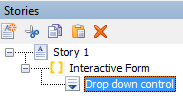
Right-click in a Story frame within <Interactive Form content> where you want to add the drop-down list and select Insert > Interactive objects > Drop down.
|
|
8
|
In the Data Selection dialog Data XPath field, select the ddi:form node and add a name for the node, i.e. /data/ddi:form/my-dropdown-group
|
|
10
|
In the Data template panel, select the ddi:input-group node for the drop-down list.
|
|
11
|
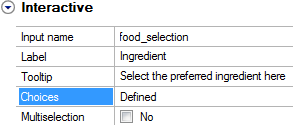
In the property grid within the Data template panel, specify the following for Input name, Label and Tooltip.
 |
|
12
|
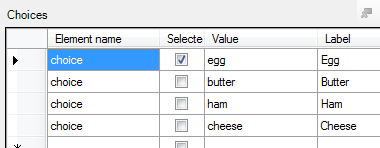
In the Data template panel, the node has four choices since this was what you specified to be the default. Edit the choices in the Choices dialog, which you open by clicking the browse button in the Choices field:
|