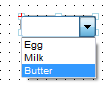
In this example, a drop-down list with three choices is added to a StoryTeller document designed as a Design Center Process in a version lower than 5.6.2. The options that the end-user can select from are statically set in the StoryTeller document in this example, and the output is to be in PDF format. StoryTeller is used for the first time with 5.6.2
|
Example 23
|
|
2
|
|
3
|
 to add a
 |
4
|
|
5
|
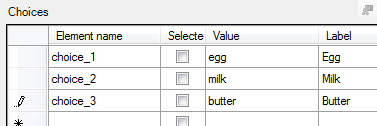
In the Interactive properties panel below the Data template tree, select the Choices field and click the
 button. button. |
|
7
|
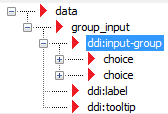
Right-click and drag the group_item node onto the Page View. When you drop it, select Drop-down from the list.
|
|
8
|
In the Interactive properties panel below the Data template tree, specify the Input name, in this case food_selection.
|