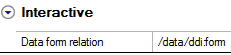
If your output is to be in HTML layout form, you must create an interactive form that will contain your interactive objects. If you only plan to create output in PDF, or if you do not need HTML layout form, you can skip this step.
|
1
|
In the Data template panel, right-click on the node where you want to insert the form select Insert > Form. A ddi:form node is created at the bottom of the tree.
|
|
Note:
|
|
2
|
Right-click in a Story where you want to add the interactive form and select Insert > Interactive form. The Data Selection dialog opens.
|
|
3
|
In the data tree, select the ddi:form node and click OK. An interactive form layout object is created in the Stories panel.
 |
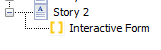
When you select the Interactive form in the Stories panel, you see the link to the form node in the Properties panel Interactive category.