
For the available colors in each color type, you can specify the 8-bit value of the color channel (0-255), or use the color palette, see the Color palette.
|
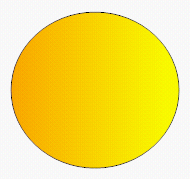
Example 69
|

|
|
|


To open the color palette, select the Line color or Fill color property group, and click the drop-down list button. You can modify how the colors are displayed in this palette in the Edit Palettes settings dialog, see Selecting and creating color palettes.
|
Example 70
|
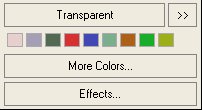
Transparent – No color.
More Colors – Opens the Color dialog, see (Add) Color dialog.
>> – Opens the Color Palettes dialog, see Color Palettes dialog.
Effects – Opens the Fill style dialog to let you specify gradient fill properties, see Fill Style dialog.