When using a repeater to render data from a Message, you can specify sorting criteria for the data. You create one or more sort keys for the repeater, where each key has the following properties:
|
•
|
XPath – the XPath to the key used for sorting. For example a Message field or a variable array.
|
|
•
|
Type – whether the key values are textual or numeric.
|
|
•
|
Order – whether the sorting is done in ascending or descending order.
|
|
•
|
Locale – if the Type is Text, language and region specific rules can be applied to the sorting. For example, to sort Swedish Å, Å, Ö characters you must specify Swedish (sv-SE) locale.
|
|
2
|
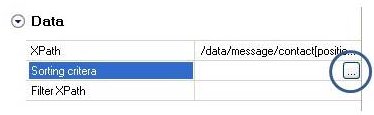
In the Properties panel Data category, select the Sorting criteria property.
|

|
Figure 56
|
|
4
|
In the Define Block Sorting dialog, enter the XPath to the Message field or variable containing the values you want to sort, or an XPath expression performing a calculation.
|
|
When you click in the XPath field, a browse button is displayed. Click this button to open the Data Selection dialog, which you use to browse to the Message field or variable.
|

|
5
|
|
Note:
|
The sort criteria significance is from top to bottom order, i.e. the items are sorted according to the top criteria first. For example when sorting names, normally you want to sort on last name first and then on first name.
|
|
You can sort dynamically.Use the following XPath to e.g. sort on a Message field with a name that equals $key_name variable.
*[name()=$key_name] |