You define bookmarks to simplify navigation in PDF and AFP documents. In the PDF viewer, the generated bookmarks are listed on the bookmarks tab. In the AFP viewer, they are displayed as Tag Logical Elements (TLE) on page level.
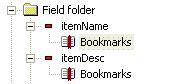
You can define bookmarks for a page and any object on the page, except for Overlays. Bookmarks defined for pages and objects are displayed as nodes in the Process view.
In the Advanced Text object you can define bookmarks for specific text segments. These bookmarks are indicated by markers in the text, and are not displayed in the Process view.

You can use variables and scripting to retrieve input data for the Advanced Text object. If the input contains bookmark definitions, the corresponding bookmarks are generated in the output.
|
1
|
Right-click the object and select Bookmarks. The Bookmarks dialog box opens.
|
|
2
|
Click Add new bookmark (the plus sign) to add the new bookmark.
|
|
3
|
|
2
|
|
1
|
In the Advanced Text area, select a text segment or place the cursor where the bookmark should be defined.
|
|
2
|
Right-click and select Bookmarks. The Bookmarks dialog box opens.
|
|
3
|
Click Add new bookmark (the plus sign) to add the new bookmark.
|
|
4
|