
|
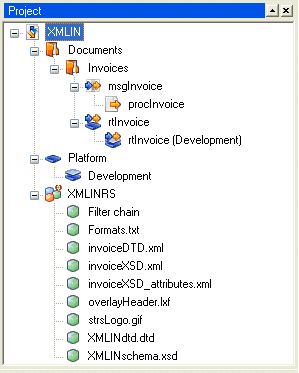
Figure 7
|
You can double-click a Project node to activate the corresponding view in the Main window. This applies to the following types of Project nodes:
|
•
|
Platform node – Activate the generic layer in the Platform view.
|
|
•
|
Physical Platform layer node – Activate the corresponding physical layer in the Platform view.
|
|
•
|
Message node – Activate the corresponding Message configuration in the Message view.
|
|
•
|
Runtime configuration node – Activate the generic layer in the Runtime configuration view.
|
|
•
|
Physical Runtime configuration layer node – Activate the corresponding physical layer in the Runtime configuration view.
|
|
•
|
Resource set node – Activate the corresponding resource set in the resource set view.
|