|
1
|
Select the storage that contains the Messages to expire, and click Search. All Messages in the storage are displayed.
|
|
3
|
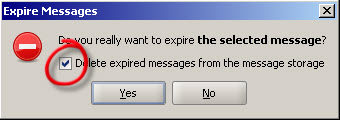
Click Expire Selected. The Expire messages dialog box opens.
|
|
4
|
Select to delete the Messages from the storage and click Yes. All selected Messages are expired and deleted.
 |
|
1
|
Select the storage that contains the Messages to expire, and click Search. All Messages in the storage are displayed.
|
|
3
|
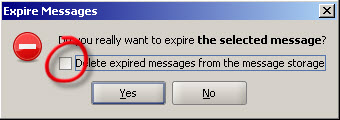
Click Expire Selected. The Expire messages dialog box opens.
|
|
4
|
Select not to delete the Messages from the storage and click Yes. All selected Messages are expired.
|
|
1
|
Select the storage that contains the expired Messages you want to delete, and click Search. All Messages in the storage are displayed.
|
|
2
|
Click Delete expired. The Delete expired messages dialog box opens.
|
|
3
|
Click Yes. All expired Messages are deleted.
|